
Codex lost my Chat history, and it was ridiculously annoying.
It was not even a clean disappearance. The sidebar would show old conversations for a moment, then they would be gone after a restart. Sometimes a session was still there but marked as archived. After switching providers, older conversations looked as if they had been filed in a completely different cabinet.
It felt like the computer was saying, “I know you had a conversation here, but I am not going to show it to you right now.”
I did not start by writing a recovery tool. I started by checking whether the data was actually gone. In a lot of cases, the rollout files were still sitting on the machine. The problem was that Codex was filtering history by provider, SQLite state, and archived-session paths. That was the moment codex-history-rescue started to make sense.
First question: what actually disappeared?
My first rule was not to rewrite anything until I knew what was there. I checked three things:
- Which provider the current
C:\Users\<you>\.codex\config.tomlwas using. - Which
model_providerbucket the threads used instate_5.sqlite. - Whether the rollout JSONL files were still under
sessionsor had moved toarchived_sessions.
That distinction matters. “The UI cannot find this session” and “the session has been deleted” are very different problems. I wanted the scripts to preserve that difference instead of treating every empty sidebar as a disaster.
The provider bucket was the really irritating part
If a conversation was created with the official OpenAI provider and the configuration later moved to custom, the thread could still be sitting in the old openai bucket. The files were present, but the current view was looking somewhere else.
There was another configuration trap too. Some Codex versions reject an override shaped like [model_providers.openai], because openai is a reserved built-in provider ID. Once the configuration is invalid, the history symptoms become even harder to separate from the configuration error.
Archived state added another layer. A thread could still be marked archived in SQLite while its rollout file was sitting under archived_sessions. Put those problems together and it looks like an entire part of your working memory has vanished.
Turning the repeated panic into scripts
The main entry point is:
revive_codex_one_click.cmdIt gives me a small menu for restoring official OpenAI history, migrating old history to the current provider, or restoring from a local snapshot. The important part is not the menu. It is the order of operations: stop Codex, make backups, and only then touch the configuration, SQLite flags, or rollout paths.
For the narrower provider-switching case, there is:
migrate_codex_history_to_current_provider.cmdThat script reads the active provider from config.toml and updates the relevant provider metadata. It does not need to rewrite the conversation body. The idea is simply to make existing history visible to the provider Codex is using now.
A recovery tool still needs to be cautious
The .codex directory can contain full conversations, local paths, configuration, and authentication-related files. That is why the repository ignores local state, backups, SQLite databases, logs, config.toml, and auth.json.
A backup is not permission to upload the backup to GitHub. The scripts are not a cloud backup system, and they cannot promise to repair every kind of damaged JSONL. They are for a narrower, more common kind of problem: the history is still local, but the provider, archive flag, or file path is preventing Codex from seeing it.
Why I kept working on it
I originally just wanted my own Chat history back. Then I realized the truly expensive part was not fixing it once. It was having to guess the same things again the next time it happened: provider, archive state, SQLite, or JSONL.
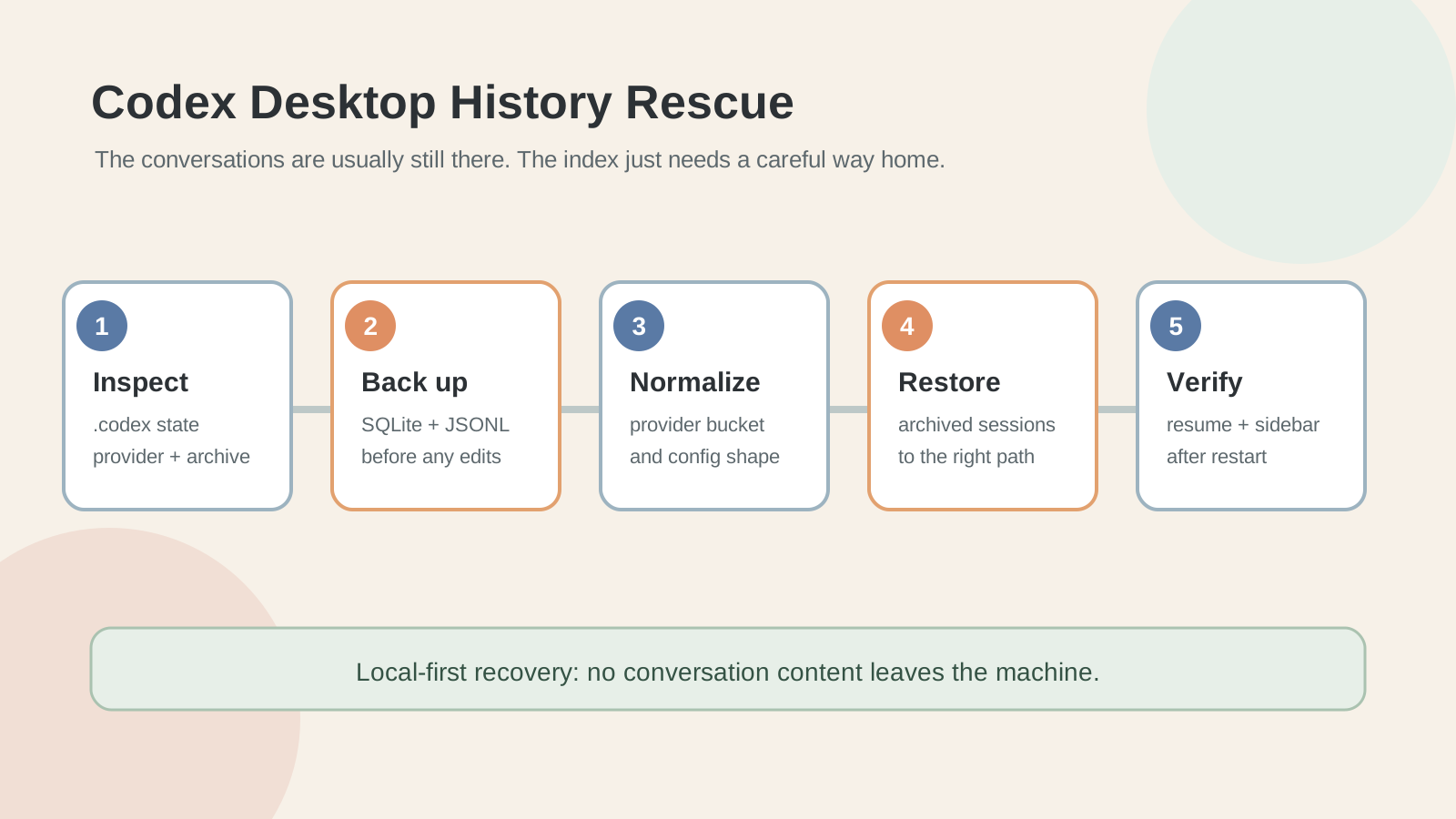
Now there is at least a sequence I can follow. Check the files. Check the index. Back everything up. Make the smallest change. Restart Codex. Verify the sidebar and resume flow for real.
That last restart is important. A script saying “success” is not the same as seeing the conversations come back.